Sharing & Export
Share content into Tree Launcher from other apps, use clipboard import, and export as markdown.
Share-to-Launcher
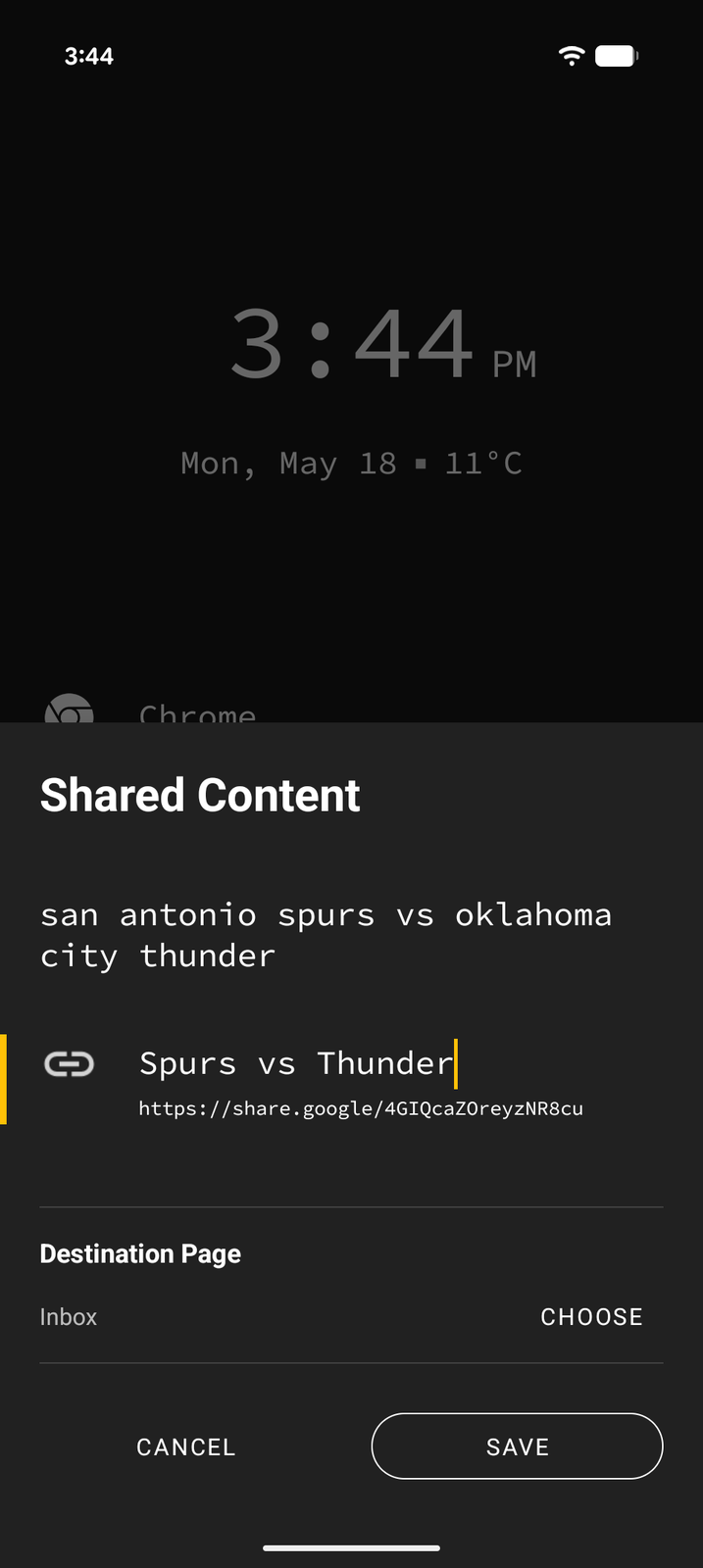
You can share content from any app directly into Tree Launcher:
- In any app, tap the Share button
- Select Tree Launcher from the share sheet
- Choose where to place the shared content in your tree
Supported Content Types
Tree Launcher intelligently handles different types of shared content:
- Text — Creates a text block
- URLs/Links — Creates a link item
- Phone numbers — Creates a link item with
tel:that dials the number - Email addresses — Creates a link item with mailto:
- Images — Creates an image item
- OPML files — Imports your feeds from another RSS reader (Pro, see RSS & News Feeds)
If you share something Tree Launcher can't use, it says so and returns you to the app you came from.
Clipboard Import
Quickly create items from your clipboard content:
- Copy text, a URL, or other content to your clipboard
- In Tree Launcher, enter Edit Mode and tap +
- Select Clipboard in the Create from section
- Preview the items and insert them into your page
This is one of the fastest ways to capture content into Tree Launcher.
Markdown Export
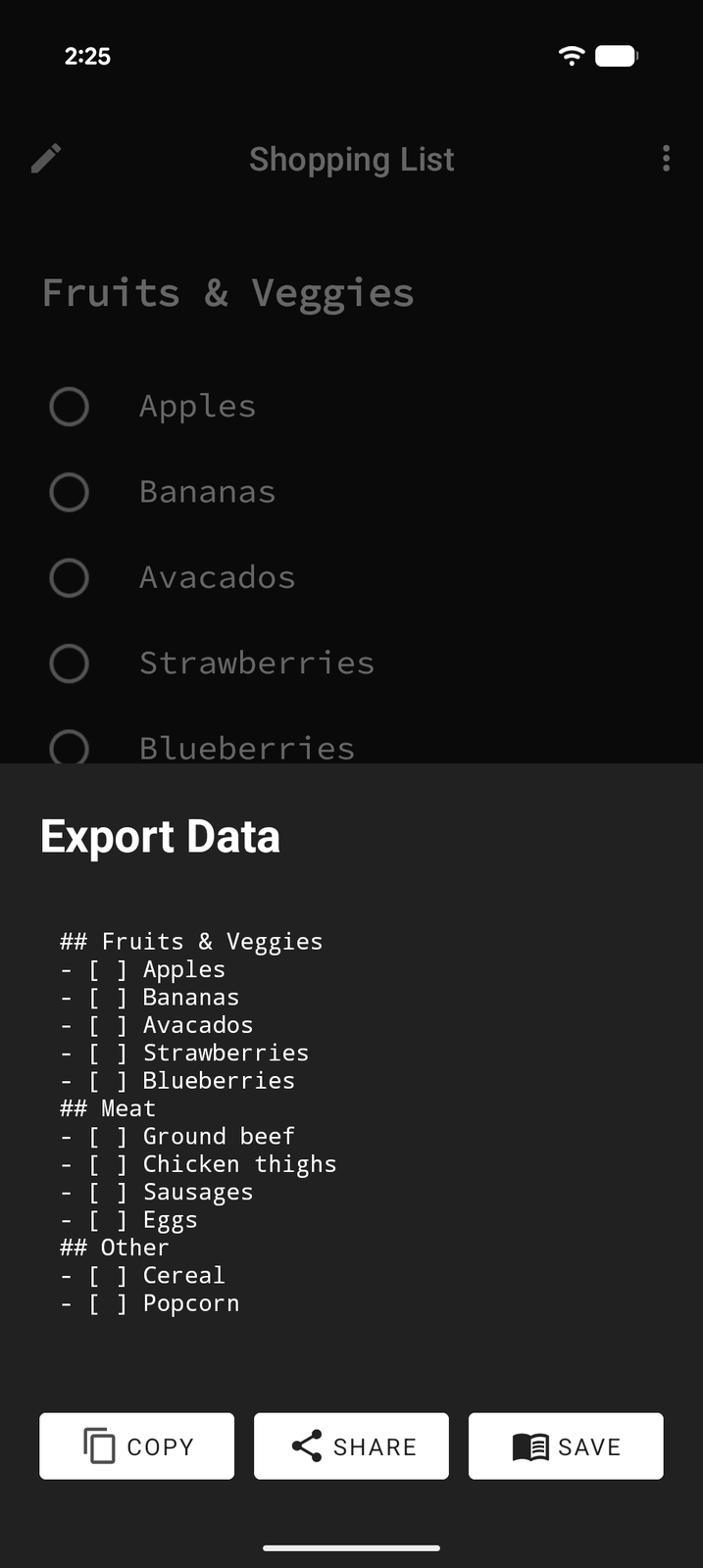
Export a page's items as universal CommonMark markdown:
- Open the page you want to export and enter Edit Mode
- With no item focused, open the edit menu and choose Share
- In the Export Data sheet, review the markdown and tap Copy, Share, or Save (saves an
.mdfile to your Downloads folder)
To export only some items, switch to Select Mode, select them, and choose Export from the menu instead.
The exported markdown preserves:
- Text content and inline formatting
- Headings, bullets, numbered lists, and blockquotes
- Tasks (exported as unchecked
- [ ]items) - Links
The export covers the current page's own items. Sub-pages appear as their title only — open a sub-page and export it separately to get its contents.
The markdown is ready to use in any markdown-compatible tool — share it, save it, or import it elsewhere.