In this article
Nova Launcher had an incredible run. For over a decade it was the default recommendation for anyone who wanted to customize their Android home screen. Millions of people built their phone experience around Nova's grid layouts, gesture system and deep settings menu.
Then things changed, twice. In September 2025 the founder left and development stopped. In January 2026 a new owner revived the app and put ads in the free version. If you are reading this, you are probably one of the many people deciding what to do next.
This guide does two things. First, an honest comparison of the launchers people are actually switching to. Second, the case for using this moment to rethink what you want a home screen to do in the first place. That second part is where my own launcher comes in, and I will be upfront about where it does and does not fit.
What happened to Nova, in order
| When | What happened |
|---|---|
| 2022 | Branch, an analytics company, acquires Nova Launcher. The founder stays on. |
| May 2024 | The last update under Branch ships. By then most of the team has been laid off. |
| September 6, 2025 | Kevin Barry, Nova's creator and sole remaining developer, announces he has left Branch. Development stops, and the plan to open-source the code is cancelled. |
| January 20, 2026 | Instabridge announces it has acquired Nova from Branch and will resume development. |
| Late January 2026 | Version 8.2.4 adds advertising SDKs. Ads appear in the free version's app drawer search. Nova Prime stays ad-free at a reduced price of $3.99. |
Sources: Android Authority on the founder's departure, Android Police on the Instabridge acquisition and Android Authority on the ads update.
The short version: Nova is alive, but it is no longer the ad-free, one-developer project people trusted. Whether that bothers you enough to switch is a personal call. If it does, read on.
The alternatives, compared
Most "Nova alternative" lists point to the same three apps, and for good reason. Here is how they line up against each other, with Tree Launcher included so you can see where it differs.
| Lawnchair | Smart Launcher 6 | Niagara | Tree Launcher | |
|---|---|---|---|---|
| Price | Free, open source | Free + one-time Pro | Free + Pro (yearly or lifetime) | Free + Pro |
| Ads in free version | No | No | No | No |
| Closest to Nova? | Yes. Grid, dock, drawer and a settings menu that feels familiar. | Partly. Grid and drawer, but auto-categorizes apps and has its own look. | No. A single vertical list instead of a grid. | No. Nested pages instead of a grid. |
| Organization model | Grid pages + folders + app drawer | Grid + automatic categories | Flat favorites list + pop-up folders | Pages within pages holding apps, notes, tasks and links |
| Best for | Rebuilding your Nova setup with the least friction | People who want the launcher to sort apps for them | One-handed use on big phones, minimal look | Organizing your life, not just your apps |
Lawnchair is the honest answer for most Nova refugees. It is open source, free, and the stable build is on Google Play, with faster-moving builds on GitHub. The settings menu will feel like home within minutes. Its weakness is that it is a volunteer project with a slower release cadence than Nova had in its prime.
Smart Launcher 6 is the most polished of the grid launchers still being actively developed by a company. Its signature feature is automatic categorization: install an app and it lands in the right category without you doing anything. The free tier is generous, and Pro is a one-time purchase rather than a subscription.
Niagara is the pick if the thing you want from this switch is calm. It replaces the grid with a list of favorites and an alphabet wave for everything else. It is beautiful and built for one hand. It is also the least Nova-like of the three, so expect to relearn habits. I compare it in depth with the other minimalist launchers in the minimalist launcher guide.
All three do fundamentally the same thing Nova did. They give you a grid or a list of app icons, maybe some widgets, and ways to customize how those icons look and behave. The underlying model has not changed since Android launched in 2008: your home screen is a place to tap on apps.
What if your home screen could do more than just launch apps?
A different kind of launcher
I built Tree Launcher because I was tired of that model. Not just Nova's model, but every launcher's model. No matter how beautiful or minimal, they all treat the home screen as a launch pad and nothing more.
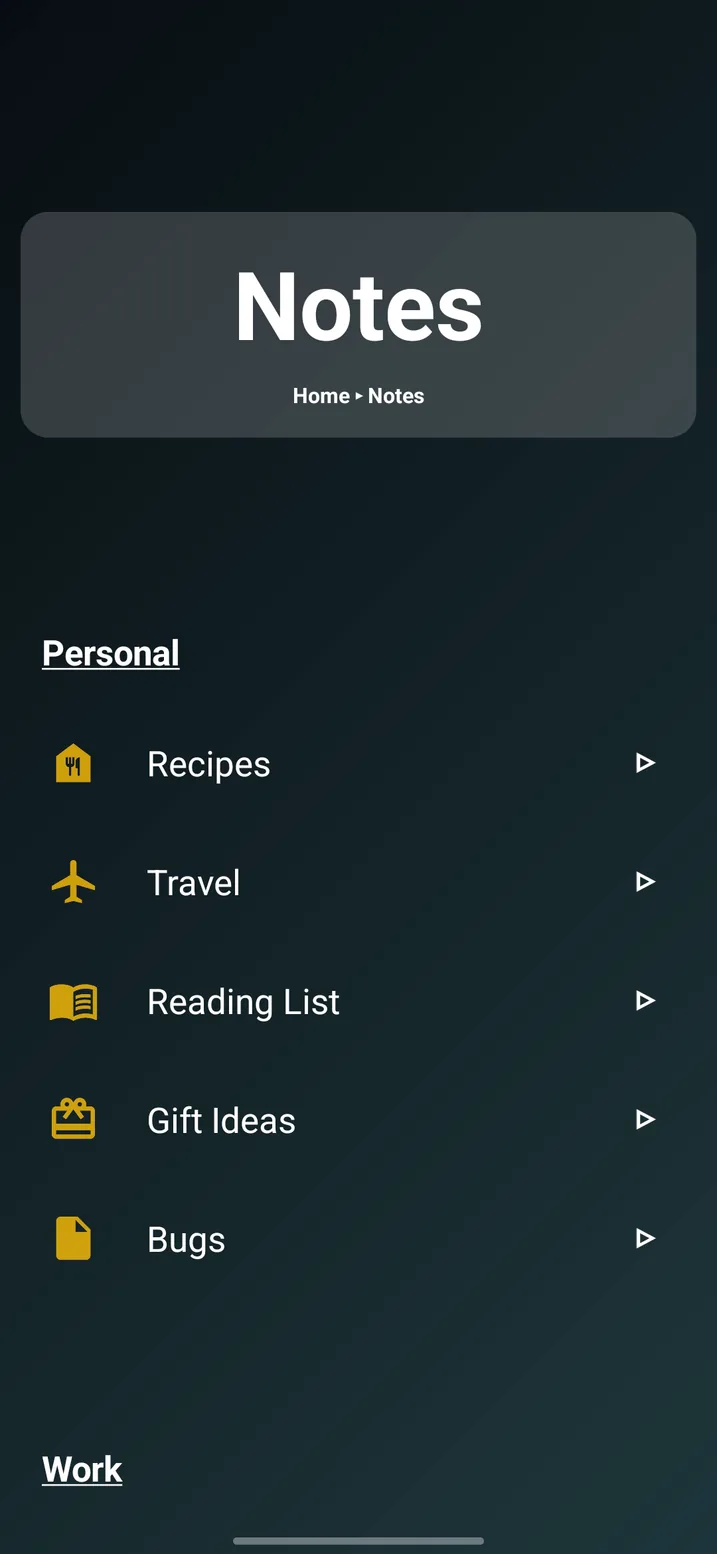
Tree Launcher does something different. Instead of a grid of icons, your home screen is a page. That page can contain apps, but also notes, tasks, links, images, headings and other pages. You build a hierarchy that mirrors how you actually organize your life. Work in one branch. Personal in another. Projects, recipes, travel plans, each in their own space, with as much depth as you need.
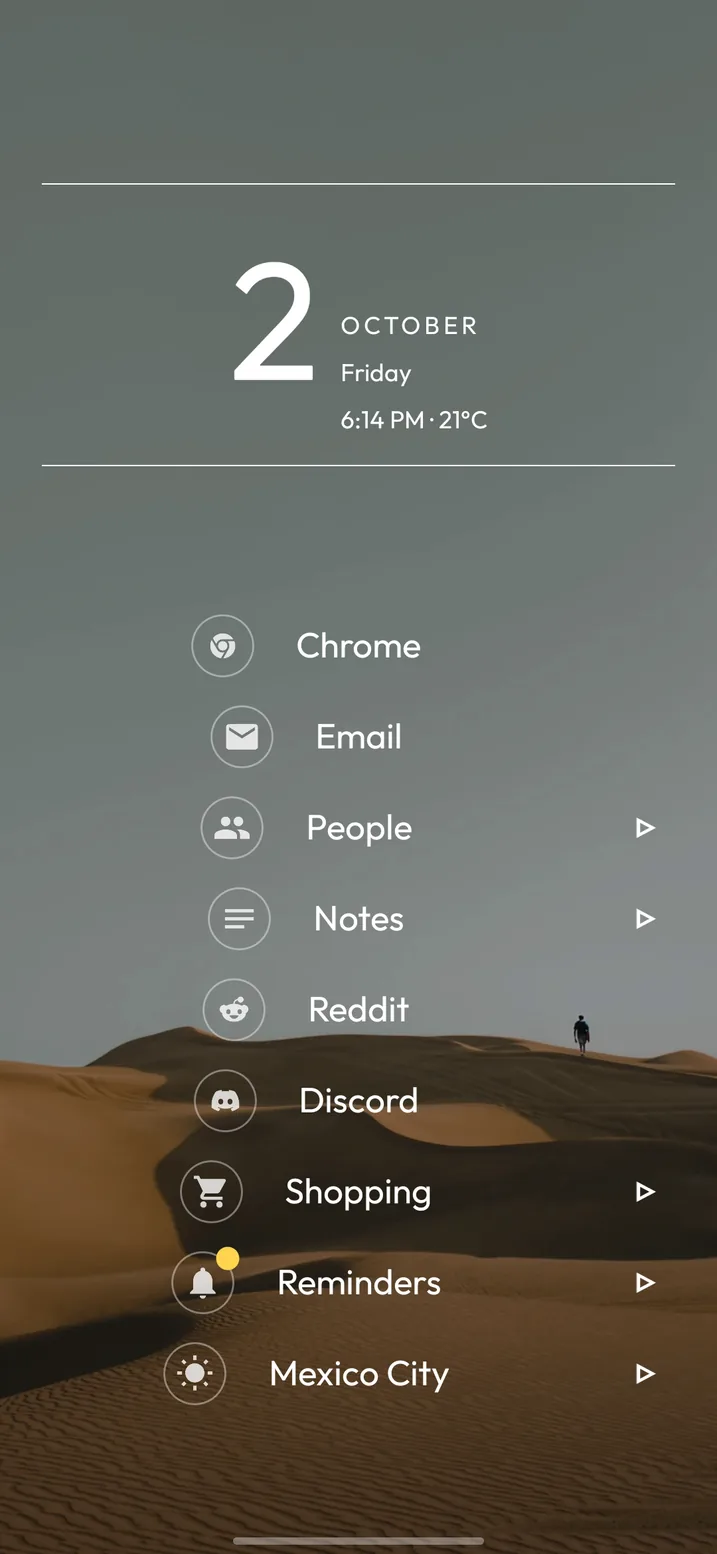
Navigation is spatial: swipe right to go deeper into the tree, left to go back up. It feels natural because it maps to the same mental model you already use when you think about categories.
What you keep, what you gain, what you lose
What you keep
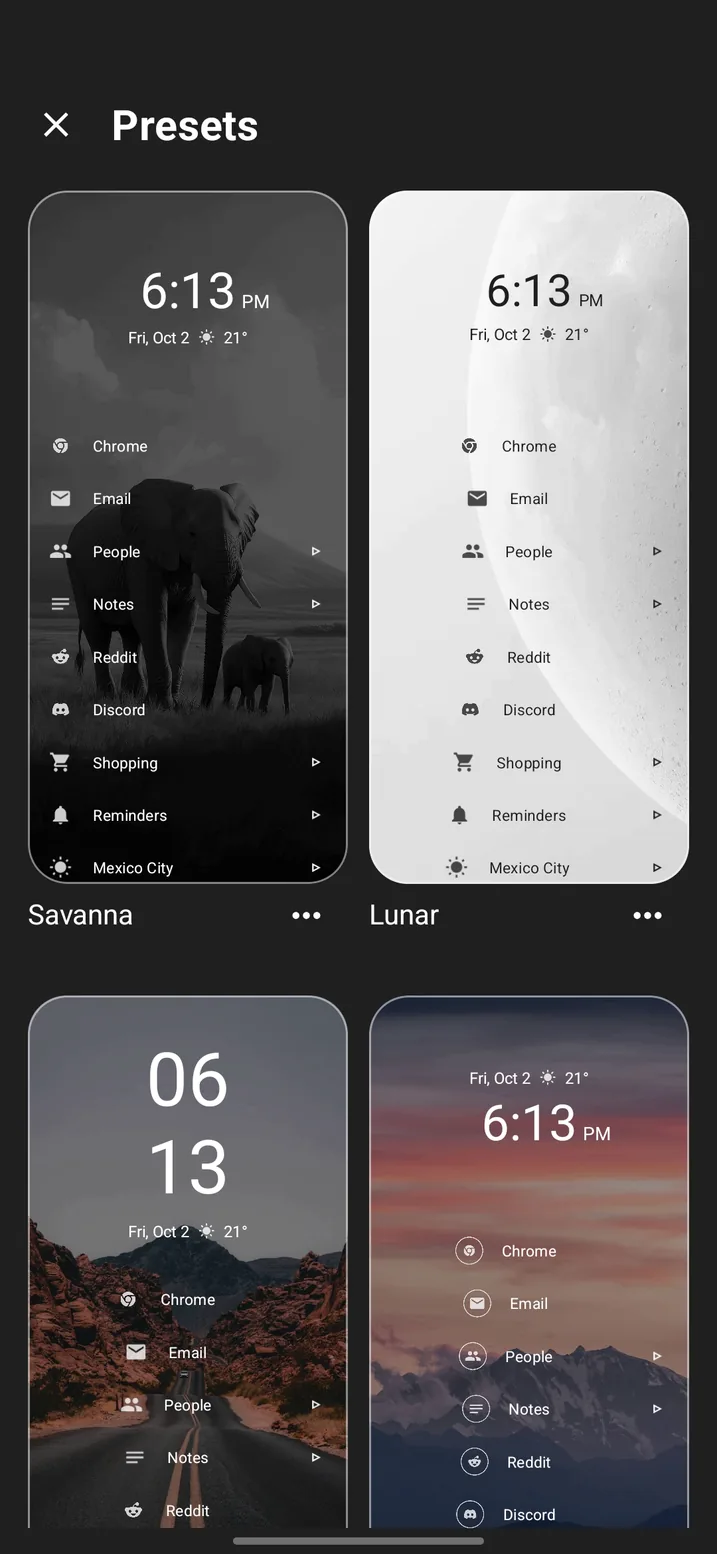
Tree Launcher is still a fully functional Android launcher. You can launch any app. You get themes, icon packs, fonts and a customizable header with a clock and weather. Google Drive backup protects your setup. It is the core launcher experience, preserved.
What you gain
This is where it gets interesting. On your Nova home screen you could place app icons and widgets. On Tree Launcher, a single page can contain:
- App and contact shortcuts
- Text notes in multiple formats (plain, bullets, numbered, blockquotes)
- Tasks with completion tracking
- Reminders with recurrence
- Links to websites
- Images
- Sub-pages that go as deep as you want
You also get search across everything (not just apps), tags for cross-referencing, an inbox for quick capture, filtered views and Markdown export. Pro adds widget support, weather and AI-powered content generation. If you want to see how that changes the way you organize a phone, the home screen organization guide walks through it step by step.
What you lose
Honesty matters, so here is what Tree Launcher does not do that Nova did. You will not find the same depth of grid customization: row counts, column counts, icon sizes down to the pixel. Nova was built for people who wanted granular control over a grid layout, and Tree Launcher does not use a grid at all. If your Nova setup was a carefully crafted visual layout with specific widget placements and pixel-perfect icon spacing, Tree Launcher is a fundamentally different paradigm.
Tree Launcher is also new. It does not have ten years of edge-case fixes and community-built solutions. It is a solo developer project with an active roadmap, not a mature product with answers for every question.
The honest take: If you want the closest thing to Nova, get Lawnchair. If you want a polished minimal list launcher, get Niagara. But if you have ever wished your home screen could organize your life, not just your apps, Tree Launcher is worth a serious look.
Why this moment matters
Switching launchers is a pain. You have to rebuild your home screen, relearn muscle memory, adjust to new patterns. Most people only do it when they are forced to, which is exactly the situation Nova's free users are in now.
That friction is also why this is a rare opportunity. You are already going to spend time setting up a new launcher. You are already going to break old habits and build new ones. The question is: do you want to rebuild the same thing you had, or do you want to try something that might actually be better?
There is a trust dimension too. Nova's story, acquired, founder gone, ads added despite years of promises, is not unique in tech. It happens whenever a beloved app gets bought by a company with different incentives. Tree Launcher is built by one developer with no corporate parent, no VC funding, and no reason to monetize your attention or data. That independence is a feature, not a limitation.
Getting started
If you want to try Tree Launcher, the transition is simple. Download it from Google Play, set it as your default launcher, and start building your page hierarchy. Most people are up and running in under five minutes. If you have never switched launchers before, this short primer explains what a launcher is and how to change your default.
My suggestion: start with three or four top-level pages that represent the major areas of your life, maybe Work, Personal, Projects and a catch-all Inbox. Then gradually add sub-pages, apps, notes and tasks as you discover what belongs where. The tree structure grows with you. You are never locked into a layout you chose on day one.
And if it is not for you, switching back to any other launcher takes about ten seconds. No risk, no commitment. Just a chance to try something different at a moment when you are already in transition.
Frequently asked questions
Is Nova Launcher shutting down?
No. Development stopped in September 2025 when founder Kevin Barry left Branch, and for a few months the app looked abandoned. In January 2026 Instabridge bought Nova and resumed updates. It is still on Google Play, but the free version now includes ads.
Can I import my Nova Launcher layout into another launcher?
Not directly. Nova backups are a proprietary format no other launcher reads. Lawnchair is the easiest place to rebuild a Nova-style grid by hand because its settings map closely to Nova's. Tree Launcher uses a different model entirely, so you start from pages rather than recreating a grid.
Is Lawnchair the same as Nova Launcher?
No. Lawnchair is a separate open-source project that started as a Pixel Launcher clone and grew Nova-style customization over time. It is the closest free alternative, but it is a different codebase with its own release cadence: a stable build on Google Play plus nightly builds on GitHub.
Does Tree Launcher show ads?
No. The free version has no ads and no trackers beyond basic crash and usage analytics. Pro is an optional upgrade that unlocks widgets, weather, RSS feeds, AI content and PIN protection. There is no advertising in either tier.
Is it safe to keep using Nova Launcher?
It still works. Versions from 8.2.4 onward include advertising SDKs in the free tier, which is what most people object to. Some users have frozen their install at 8.1.6, the last build before the ad code; others pay the reduced Nova Prime price to remove ads. Both are reasonable if you are not ready to switch.
Ready to try something new?
Free on Google Play. No ads. Just a better home screen.
Get Tree Launcher