In this article
If you are reading this, you have probably looked at your phone's home screen and thought: there has to be a better way. A wall of colorful icons arranged in a grid, competing for your attention, organized by nothing more meaningful than when you installed them. The default Android experience is designed for maximum engagement, not for your actual needs.
Minimalist launchers replace your home screen with something calmer, cleaner and more intentional. But the category has grown, and each launcher takes a different approach to the same problem. This guide breaks down the major options honestly, including my own, so you can find the right fit.
Quick verdict
Niagara if you want the most polished minimal launcher and plan to keep using your phone normally. Olauncher if you want your phone to be genuinely boring and you value free, open-source software. Before if notifications are your main problem. Minimalist Phone if you need the launcher to actively stop you. Tree Launcher if you want to organize notes, tasks and links on your home screen, not just apps.
| Niagara | Olauncher | Before | Minimalist Phone | Tree Launcher | |
|---|---|---|---|---|---|
| Price | Free + Pro | Free (FOSS) | Free + premium unlock | Subscription or one-time, with trial | Free + Pro |
| Organization | Flat list + folders | 4-8 text shortcuts | List + basic folders | Text list + app blocking | Nested page hierarchy |
| Content creation | No | No | No | No | Yes: notes, tasks, links, images |
| Search | App search | App search | App search | App search | Search across all content |
| Widgets | Pro only | No | No | Limited | Pro only |
| Themes | Pro only | Light/dark | Yes | Monochrome focus | Yes + per-page colors |
| Icon packs | Pro only | No icons | Yes | No icons | Yes |
| Privacy | Analytics included | No data collection | Minimal | Account optional | Local-first, basic analytics |
| Maturity | Years of polish | Established | Established | Established | New |
| Best for | One-handed elegance | Extreme minimalism | Notification control | Breaking phone habits | Organization |
The Niagara, Olauncher and Before screenshots are the developers' own promotional images, so wallpapers and languages vary; the Tree Launcher one is mine.
Prices and policies change. This table was last reviewed on November 1, 2026; check each app's Play listing for your region before paying for anything.
Why people switch to minimalist launchers
The reasons tend to fall into a few buckets. Some people want to reduce screen time. A less visually stimulating home screen leads to less mindless phone checking. Others want better organization: the standard app grid does not reflect how anyone actually thinks about their phone. And some people simply want a phone that feels calmer, less demanding of their attention.
Whatever your reason, the good news is that Android makes it easy to try alternatives. You can switch launchers in seconds and switch back just as quickly. There is no commitment, no risk, and most options are free to try. If you are new to the idea, this primer on what a launcher is covers how to switch.
Niagara Launcher
Niagara is the most popular minimalist launcher on Android, and for good reason. It replaces the icon grid with a single vertical list of your favorite apps, arranged along the right edge of the screen. A "wave" alphabet lets you scroll quickly through all your apps by sliding your finger along the side. Notifications appear inline next to the relevant app. The whole experience is designed for one-handed use on large phones.
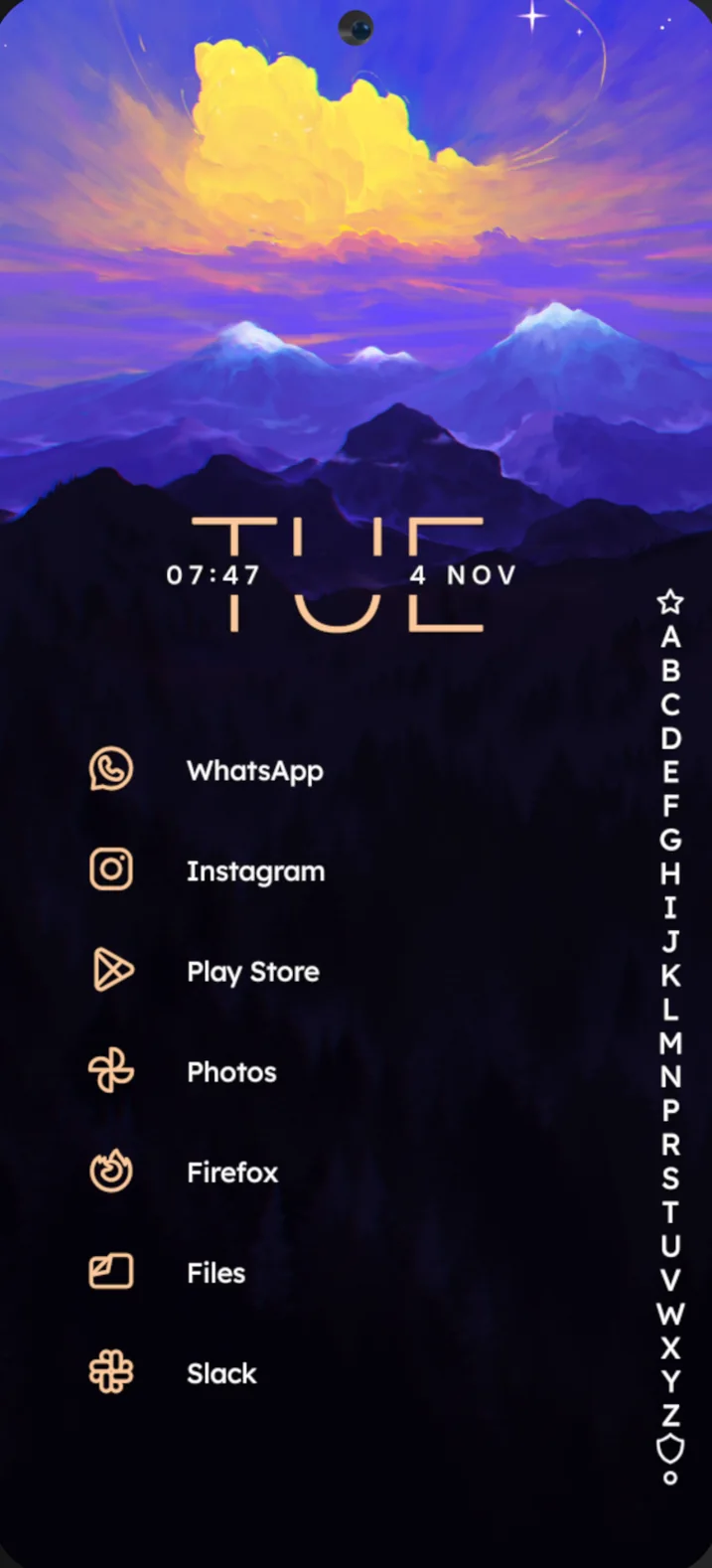
Niagara's strength is its polish. The animations are smooth, the design is refined, and it is clear that a talented team has spent years perfecting the experience. The free version is genuinely usable, and the Pro tier (about $13.99 a year or $42.99 for a lifetime license, varying by country) adds themes, calendar integration, weather, icon customization and widget stacks.
Where Niagara falls short is depth of organization. Your apps live in a flat list. Pop-up folders help somewhat, but there is no hierarchy, no way to nest categories within categories or create a structure that mirrors how you think. And Niagara is purely an app launcher. You cannot create notes, tasks or other content on your home screen.
Best for: People who want a beautiful, polished, one-handed launcher experience. Great for large phones. The most "premium" feeling option.
Olauncher
Olauncher takes minimalism to its logical extreme. Your home screen shows the time, date, and four to eight app names, just text, no icons whatsoever. Swipe up for an alphabetical text list of all apps. Swipe down for notifications. Double-tap to lock. That is essentially it.
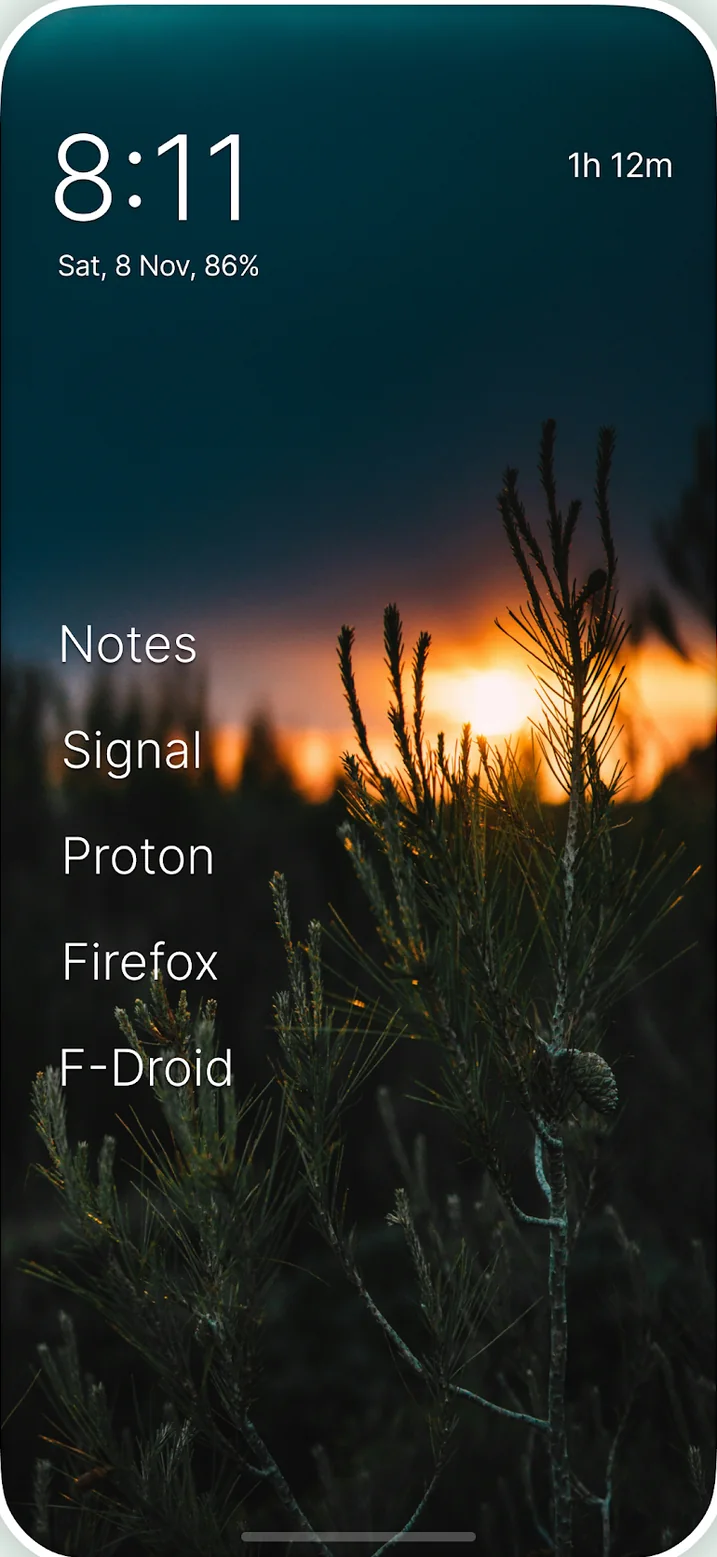
Olauncher is completely free, open source (GPLv3), and collects no data. There is no Pro tier, no ads, no monetization of any kind. The developer describes it as "Minimal AF" (which stands for Ad-Free). Daily rotating wallpapers add a bit of visual variety to what is otherwise a deliberately spartan experience.
The appeal is obvious: if your goal is to use your phone less, Olauncher makes your phone genuinely less interesting to look at. Users consistently report significant screen time reductions. The downside is that it is sometimes too minimal for practical daily use. No widgets, no folders, no way to organize apps beyond the flat list, and finding less-used apps requires typing in the search drawer every time.
Best for: Digital minimalism purists. People who specifically want to make their phone boring to reduce usage. Privacy-conscious users who value open source.
Before Launcher
Before Launcher positions itself around screen time reduction, with a particular focus on notification management. Its key feature is notification filtering: you can mute specific apps' notifications so they do not interrupt you, while keeping important ones active. The home screen is a clean text list similar to Olauncher but with more customization: icon styles, fonts, themes and folders.
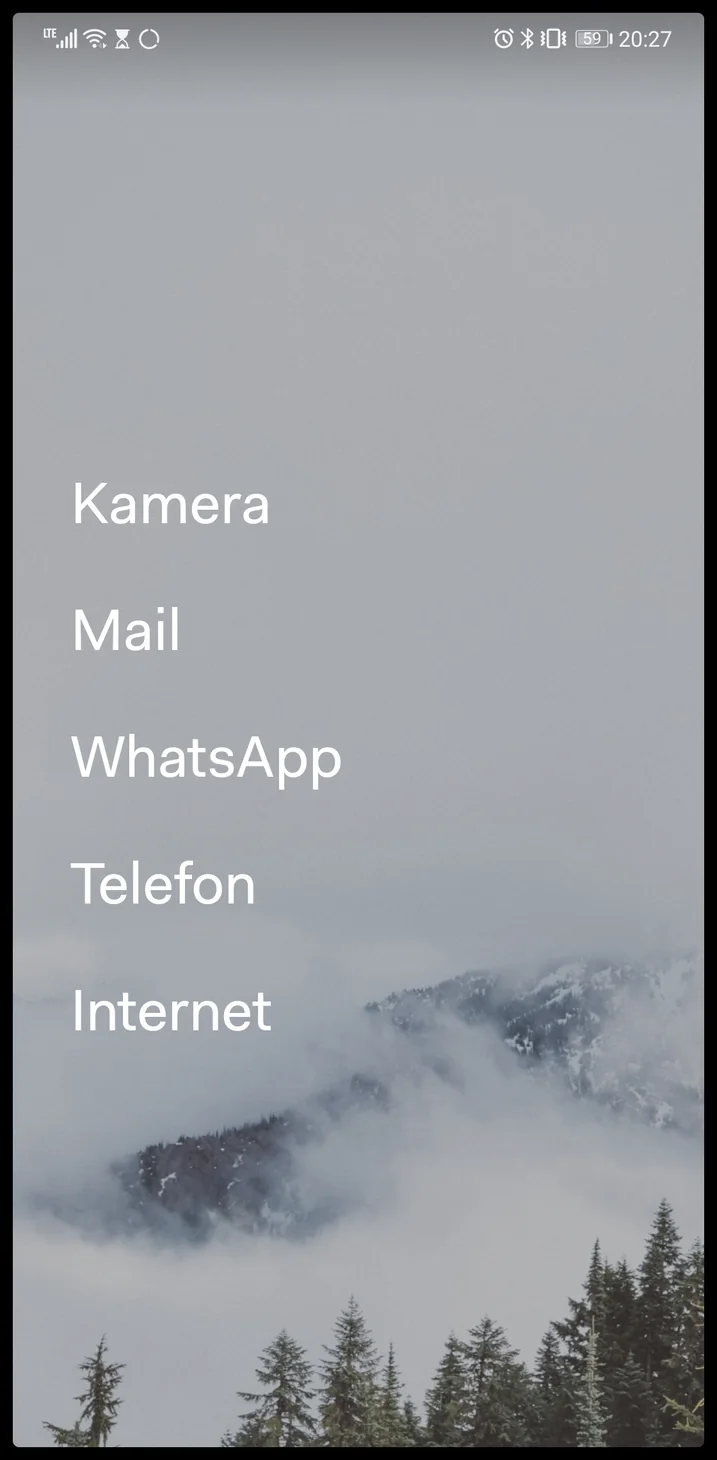
Before is free to install, with a one-time premium purchase that unlocks the extra customization. There is no subscription and no advertising. The team behind it is small, and updates arrive at a measured pace rather than monthly.
Where Before is limited is in features beyond notification management. Organization is basic: folders exist but without real depth. There is no content creation, no productivity features, and the customization options, while good, do not match Niagara's breadth.
Best for: People whose primary pain point is notification overload. Good if you want something cleaner than the default but less extreme than Olauncher.
Minimalist Phone
Minimalist Phone sits at the detox end of the spectrum. On the surface it looks like Olauncher or Before: a text-only home screen, a short list of apps, no icons. The difference is what it does when you try to open something. You can put daily time limits on individual apps, block apps outside the hours you choose, and add a deliberate pause before a distracting app opens so a reflexive tap has a moment to become a decision. A monochrome mode drains the color out of everything to make the screen less appealing.
The business model is different too. Minimalist Phone is a subscription, with monthly, annual and one-time options behind a free trial. You are paying for a behavior-change tool that happens to be a launcher, not for a launcher with extras.
That framing is the honest way to judge it. As a launcher it is unremarkable: organization is a flat list, there are no folders of note, and the customization is intentionally sparse. As a tool for breaking a phone habit it is the most effective thing in this list, because it is the only one that can actually say no to you.
Best for: People who have tried a minimal home screen and still find themselves opening the same three apps. Anyone who wants limits enforced rather than suggested.
Tree Launcher
Full disclosure: Tree Launcher is mine, so take this section with appropriate context. I will be as honest about its limitations as I am about everyone else's.
Tree Launcher takes a fundamentally different approach. Instead of organizing apps into a flat list, it organizes everything (apps, notes, tasks, links, images and more) into a hierarchy of nested pages. You create pages for different areas of your life (Work, Personal, Projects, Recipes), and each page can contain sub-pages, going as deep as you need. You navigate by swiping: right to go deeper, left to go back.
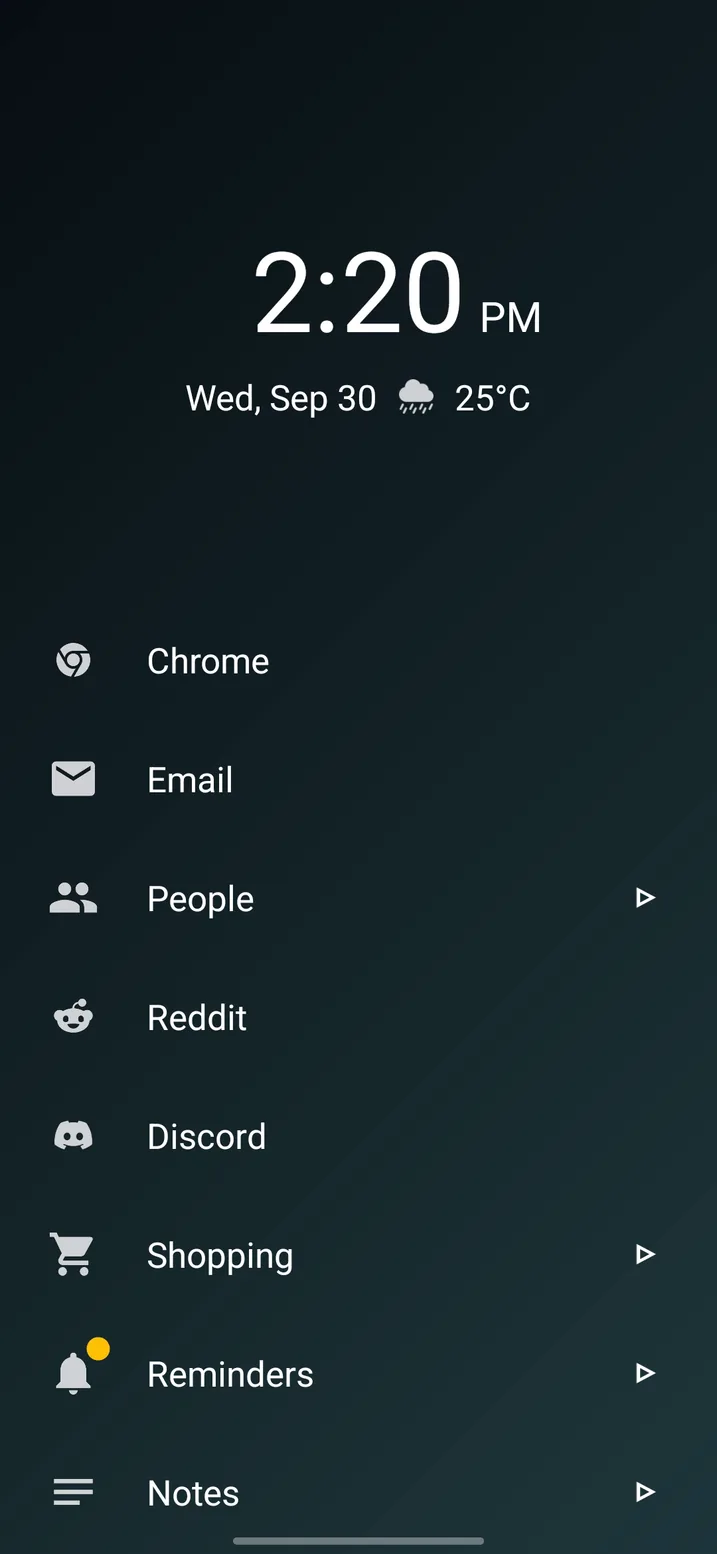
The key differentiator is that Tree Launcher is not just a launcher. It is also a productivity workspace. A single page can contain app shortcuts alongside a task list, a few notes from a meeting, links to important documents and sub-pages for related projects. Everything you need for a given context lives in one place. The home screen organization guide shows what that looks like in practice.
The free tier is genuinely generous: unlimited pages, all text editing features, full search, tags, reminders, themes, font selection, text and icon sizing, icon packs and Google Drive backup. Pro adds widget support, weather, custom RSS subscriptions, AI content generation and PIN protection.
The honest limitation: Tree Launcher's depth is not for everyone. If you just want a clean, focused way to launch apps, without notes, tasks or a hierarchy to maintain, all that flexibility can feel like friction. Niagara is simpler, more polished and battle-tested. If pure minimalism is what you are after, it is a better fit.
Best for: People who want to organize more than just apps. Productivity enthusiasts, anyone who thinks in hierarchies. People who want their home screen to be a workspace, not just a launch pad.
Try Tree Launcher
A launcher and a productivity workspace in one. Free on Google Play.
Get Tree LauncherHead to head
The same three questions come up again and again, so here are direct answers.
Olauncher vs Before Launcher
They look alike: a clock, a short text list, no icons. The differences are philosophy and price. Olauncher is free, open source, and refuses to add features. There are no folders, no notification controls and no premium tier. Before is free to start, with a paid unlock, and it adds the things Olauncher refuses to: folders, fonts, themes, and its notification filter that quiets chosen apps without silencing everything. Pick Olauncher if you want the purest, most private option and are happy with eight shortcuts and a search. Pick Before if notifications are what drag you back into your phone.
Niagara vs Minimalist Phone
These solve different problems. Niagara is a launcher you will enjoy using: fast, elegant, one-handed, and it never gets in your way. Minimalist Phone is designed to get in your way on purpose, with timers, blocking and pauses, and it charges a subscription for that. Pick Niagara if you want a calmer phone that still does everything. Pick Minimalist Phone if a calmer look has not been enough and you want enforcement.
Olauncher vs Minimalist Phone
Both strip the home screen down to text. Olauncher stops there; it makes your phone less interesting but will never prevent you from opening anything. Minimalist Phone adds the limits. If you can resist a boring screen on your own, Olauncher costs nothing and respects your privacy completely. If you have tried the boring screen and still open Instagram forty times a day, the paid tool is the one with the features that address that.
Others worth mentioning
KISS Launcher
Keyboard-focused launcher under 1MB. Everything is accessed through search. Extremely lightweight and fast, but very limited in functionality. Best for old or budget phones.
Kvaesitso
Open-source launcher with a search-first philosophy and tag-based app organization. Rich search can query contacts, calendar, Wikipedia and more. Not on the Play Store (requires F-Droid), which limits accessibility and, since September 2026, makes it subject to Android's developer verification rules in some countries. Interesting but niche.
Lawnchair
Not minimalist, but worth knowing about if you are leaving Nova Launcher and want a grid rather than a list. Free, open source, and the closest thing to Nova's settings depth. I cover it in the Nova alternatives guide.
How to choose the right minimalist launcher
The best launcher depends on what problem you are solving. Here is a quick decision framework:
If your main goal is reducing screen time: Start with Olauncher. Its extreme simplicity is the most effective free tool for breaking habitual phone use. If it feels too restrictive after a week, step up to Before or Niagara. If it is not restrictive enough, Minimalist Phone adds enforcement.
If you want a beautiful, polished daily driver: Niagara is the safest choice. It is the most refined option with the largest community and the most reliable update cadence.
If you want to organize more than just apps: Tree Launcher is the only option that lets you create and organize content on your home screen. If you are a list-maker or someone who thinks in hierarchies, this is the one to try.
If you value privacy and open source above all else: Olauncher. No data collection, no analytics, fully open source.
The good news is that switching launchers on Android takes seconds and is completely reversible. Download two or three of these, try each for a few days, and see which one sticks. There is no wrong answer, only what works for your brain and your life.
Frequently asked questions
What is the most minimalist Android launcher?
Olauncher. The home screen is a clock, a date and up to eight app names in plain text, with no icons, widgets or folders. It is free and open source. If that is too spartan, Before Launcher is the next step up, and Niagara is the most polished option that still counts as minimal.
Do minimalist launchers reduce screen time?
They help, but only indirectly. A text-only home screen removes the colorful icons and badges that trigger reflexive opens, and most people report fewer unplanned unlocks. A launcher cannot stop you opening an app on purpose, though. If you need hard limits, pair the launcher with Android's Digital Wellbeing timers or use a detox-focused tool like Minimalist Phone.
Are minimalist launchers free?
Mostly. Olauncher is completely free and open source. Niagara, Before and Tree Launcher are free with optional paid tiers for extras like widgets, weather or themes. Minimalist Phone is the exception: it is built around a subscription with a free trial.